If you’ve glanced at the top of your iPhone screen and noticed the letters “SOS” or “SOS only” in the status bar, you’ve probably wondered what it means and whether you should be worried. Like many status indicators on smartphones, its meaning isn’t immediately obvious to everyone, and the way it functions can vary depending on your location and iPhone model.
Understanding your iPhone’s status indicators is becoming increasingly important because these symbols convey critical information about your device’s connectivity and safety features. Some indicators are harmless status updates, while others signal important functionality or limitations. The SOS indicator falls into the latter category, making it especially important to understand what it means and what you should do when you see it.
This guide explains what does SOS mean on iPhone, where the term originated, why it appears on your device, how it works, and what steps you should take when you see it. You’ll also find examples, comparisons with similar status indicators, common mistakes, FAQs, and practical tips to help you understand this important iPhone feature.
What Does SOS Mean on iPhone? Meaning & Definition
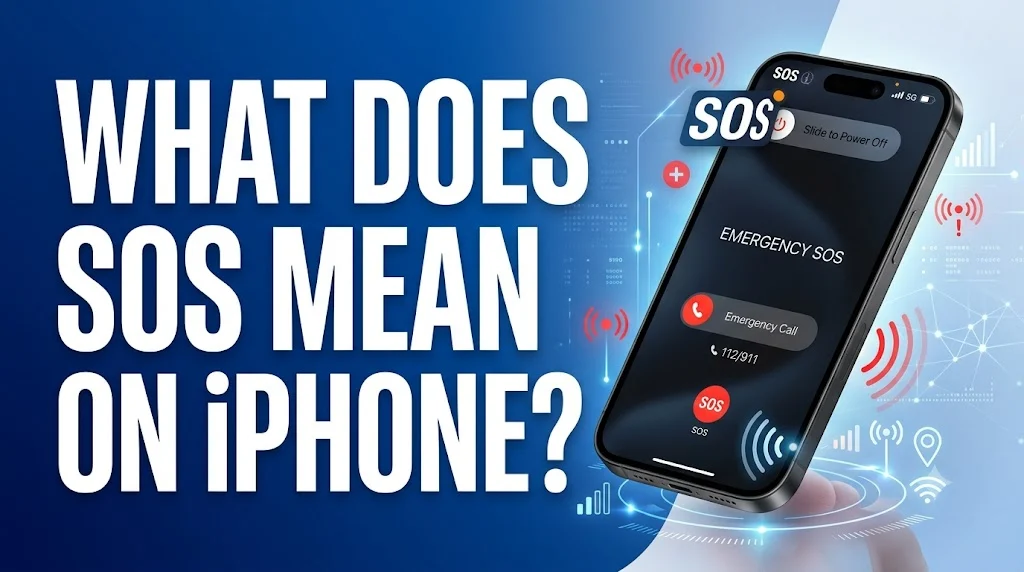
On an iPhone, the SOS indicator in the status bar means your device is not connected to your regular cellular network, but it can still make emergency calls. When you see “SOS” or “SOS only” at the top of your screen, your iPhone is telling you that standard cellular service is unavailable, but emergency calling functionality remains active through other carrier networks .
The phrase is commonly seen in:
iPhone status bars
Control Center on iPhones
During travel and road trips
In remote or rural areas
After SIM card changes
During carrier outages
In areas with poor cellular reception
Because the indicator often appears in areas with weak signal, many users may not immediately recognize what it means or why it appears.
Definition
Pronunciation: Ess-Oh-Ess
Origin
The origin of “SOS” as a distress signal dates back to the early 20th century. Many people mistakenly believe SOS stands for “Save Our Souls” or “Save Our Ship,” but it actually doesn’t stand for anything. SOS is a Morse Code distress signal that was selected because it is simple, distinctive, and easy to remember .
Several key points about its history:
Morse Code is a system that uses dots, dashes, and spaces to communicate letters and numbers. It was first created during the 1830s by Samuel F.B. Morse but was later improved in 1851 to create the simpler, more precise International Morse Code system . The U.S. officially adopted the signal after the Titanic sank in 1912 .
The term gained broader recognition through several key developments:
Morse Code communication system
International maritime distress signaling
Titanic disaster and adoption of SOS
Apple’s implementation for iPhone emergency features
Global smartphone communication standards
Popularity
The SOS indicator on iPhone became widely recognized as more people began using smartphones in diverse locations and situations. The feature gained particular attention as iPhones became essential communication devices globally.
Several factors contributed to its recognition:
Widespread iPhone usage globally
Travel and roaming scenarios
Emergency preparedness awareness
Apple’s marketing of safety features
Emergency SOS via satellite on newer models
Media coverage of life-saving features
User education and support resources
Growing awareness of emergency communication
The feature’s popularity and importance have grown with each iPhone generation, particularly with the introduction of Emergency SOS via satellite on iPhone 14 and later models, which expanded emergency communication capabilities beyond cellular networks .
Where You May See SOS on iPhone
| Context | Common Occurrence |
|---|---|
| Status Bar | Top of iPhone screen |
| Control Center | When swiping down from top right |
| Remote Locations | Areas with no cellular coverage |
| During Travel | Road trips, rural areas |
| Carrier Outages | When cellular network is down |
| SIM Issues | After SIM card removal or failure |
| Settings App | Under Cellular or SOS settings |
How It Is Used
The SOS indicator serves multiple functions on iPhone depending on the context and your device model.
Status Indicator Tone 📶
Used to show your iPhone’s current connectivity status.
Example:
Seeing “SOS” in the status bar when traveling through a rural area.
Emergency Call Function Tone 🆘
Used to indicate that only emergency calls are possible.
Example:
Trying to make a regular call but only being able to reach emergency services.
Satellite Feature Tone 🛰️
Used on iPhone 14 and newer to indicate satellite connectivity options.
Example:
“No cellular and Wi-Fi coverage, but Emergency SOS via satellite is available in your location” .
Safety Feature Tone 🛡️
Used for the Emergency SOS button that can be activated quickly.
Example:
Holding the side button and volume button to trigger Emergency SOS .
Examples
Status Indicator Examples
These examples show how SOS appears in everyday iPhone usage.
“You’re driving through a remote area and your iPhone displays SOS in the status bar.”
“After removing your SIM card, your iPhone shows SOS only until you reinsert it.”
“During a carrier outage, multiple iPhones in your area show SOS instead of signal bars.”
Important: Seeing SOS doesn’t mean you’re in danger; it simply means your regular cellular network isn’t available.
Emergency Call Examples
These examples show how SOS functionality works for emergency calls.
“If you see SOS on your iPhone, you can still call 911 or your local emergency number .”
“Your iPhone will try to connect to any available carrier network to complete an emergency call.”
“The SOS feature ensures you can get help even when your normal cellular network is unavailable.”
Satellite Examples
These examples show the satellite feature on newer iPhones.
“With iPhone 14 or later, you can use Emergency SOS via satellite to text emergency services when you’re off the grid with no cellular and Wi-Fi coverage .”
“Emergency SOS via satellite is free for two years after activation of an iPhone 14 or later .”
“When you use a satellite connection, the experience is different than sending or receiving a message via cellular .”
Professional Examples
SOS is appropriate in professional settings when discussing iPhone features or emergency preparedness.
“Employees should be aware that the SOS indicator means the device can only make emergency calls.”
“Our safety training includes instruction on using Emergency SOS via satellite for field workers.”
“The IT department can assist with troubleshooting when an iPhone displays SOS without an apparent reason.”
Comparison with Similar Indicators
Many status indicators appear on iPhones. Here’s how SOS compares.
Among these indicators, SOS is unique because it signals the ability to make emergency calls even when regular service is unavailable.
Alternate Meanings
Unlike some status indicators that have multiple unrelated meanings, SOS on iPhone has one primary meaning related to emergency calling.
Distress Signal (Original Meaning)
The original Morse Code distress signal, not an acronym .
Emergency Calling Indicator
The iPhone status indicator showing emergency-only calling capability.
Emergency SOS Feature
The iPhone feature that allows quick emergency calling.
Save Our Souls (Common Misconception)
A popular but incorrect interpretation of SOS .
When you encounter SOS on your iPhone, it always relates to emergency calling capability. The term’s specificity makes it relatively unambiguous compared to other status indicators.
Professional or Polite Communication
If you are discussing iPhone SOS features in professional or formal settings, here are some appropriate ways to communicate.
| Situation | Appropriate Language |
|---|---|
| IT support | “The SOS indicator means your device can only make emergency calls.” |
| Safety training | “Emergency SOS via satellite allows communication without cellular coverage.” |
| Travel advisory | “In remote areas, your iPhone may show SOS, but emergency calls remain possible.” |
| Carrier communication | “The SOS status indicates your device isn’t connected to our network.” |
| Formal documentation | “When an iPhone displays SOS, it can still connect to emergency services.” |
| Educational content | “Emergency SOS via satellite is available on iPhone 14 and later models.” |
These examples communicate information professionally and clearly.
Common Mistakes
Many people misunderstand the SOS indicator on iPhone. Here are the most common mistakes.
Thinking SOS Means Your Phone Is Broken
Some users panic when they see SOS, thinking something is wrong with their iPhone.
It is not broken.
The SOS indicator simply means your regular cellular connection isn’t available, but your phone can still make emergency calls .
Believing You Can’t Make Any Calls
Some users assume SOS means they can’t make any calls at all.
They can make emergency calls.
SOS specifically means your device can still call emergency services even without regular network service .
Confusing SOS with No Service
Some users think SOS and No Service mean the same thing.
They are different.
No Service means no network connection at all. SOS means no regular service but emergency calls are possible .
Thinking SOS Stands for Something Specific
Many people believe SOS stands for “Save Our Souls” or “Save Our Ship.”
It does not.
SOS is a Morse Code distress signal that doesn’t stand for anything .
Not Understanding Emergency SOS vs SOS Only
Some users confuse the status indicator with the Emergency SOS feature.
They are related but different.
SOS in the status bar indicates your connectivity status. Emergency SOS is a feature you can activate to call for help quickly .
Assuming It’s a Problem You Need to Fix Immediately
While you may want to restore regular service, seeing SOS isn’t an emergency. It’s simply a status indicator.
Ignoring Troubleshooting Options
Some users don’t realize they can often fix SOS by toggling Airplane Mode, restarting their iPhone, or checking cellular settings .
Quick Tips
Keep these practical guidelines in mind when you see SOS on your iPhone.
SOS means your iPhone can only make emergency calls.
It doesn’t mean your phone is broken or in danger.
Try toggling Airplane Mode on and off to reconnect to your network .
Restart your iPhone if the issue persists .
Move to an area with better cellular reception if possible.
Contact your carrier if you see SOS in an area with good coverage .
With iPhone 14 or later, you may be able to use Emergency SOS via satellite .
Check your cellular settings to ensure Automatic Network Selection is on .
Don’t panic when you see SOS; it’s a helpful safety feature.
FAQ
What does SOS mean on iPhone?
On an iPhone, SOS or SOS only in the status bar means your device isn’t connected to your cellular network, but you can still make emergency calls through other carrier networks .
What does SOS only mean on iPhone?
SOS only means your iPhone has no cellular connection and you can only place emergency calls. This ensures you can still contact emergency services even if your phone cannot connect to the cellular network .
Why does my iPhone say SOS?
Your iPhone says SOS when cellular reception is poor, your SIM card has failed, or your cellular settings are not set to Automatic. This is common in remote areas, during travel, or after changing SIM cards .
What does SOS stand for?
SOS doesn’t actually stand for anything. It is a Morse Code distress signal that was selected because it is simple, distinctive, and easy to remember. Many people mistakenly believe it means “Save Our Souls” or “Save Our Ship” .
How do I fix SOS on my iPhone?
You can try toggling Airplane Mode on and off for 15 seconds, restarting your iPhone, moving to an area with better reception, or checking that Automatic Network Selection is enabled in settings .
What is Emergency SOS via satellite?
Emergency SOS via satellite is a feature on iPhone 14 and later that lets you text emergency services when you’re off the grid with no cellular and Wi-Fi coverage. It’s free for two years after activation .
Is SOS available in all countries?
The SOS status indicator feature is available in Australia, Canada, and the United States. Emergency SOS via satellite is available in many more countries including Australia, Austria, Belgium, Canada, France, Germany, Ireland, Italy, Japan, Luxembourg, the Netherlands, New Zealand, Portugal, Spain, Switzerland, the U.K., and the U.S. .
What should I do if I see SOS and need to call someone?
If you see SOS on your iPhone and need to make a call, you can only call emergency services like 911 or your local emergency number. For regular calls, try moving to an area with better reception or connecting to Wi-Fi .
Conclusion
So, what does SOS mean on iPhone? It is a status indicator that appears when your device isn’t connected to your regular cellular network but can still make emergency calls. This feature ensures you can always reach emergency services even when standard cellular service is unavailable. The term originates from Morse Code distress signaling and has been adapted by Apple to enhance iPhone safety features .
Understanding iPhone status indicators like SOS helps you stay informed about your device’s connectivity and safety capabilities. The feature is available in Australia, Canada, and the United States, with Emergency SOS via satellite expanding these capabilities globally on iPhone 14 and later models . Whether you’re traveling through remote areas, experiencing a carrier outage, or simply learning about your device, knowing the meaning and proper response to SOS ensures you can communicate effectively and safely.
When you see SOS on your iPhone, remember that it’s a safety feature designed to protect you, not a sign that something is wrong with your device. Simple troubleshooting steps like toggling Airplane Mode, restarting your phone, or moving to an area with better reception can often restore regular service . For iPhone 14 and newer users, the addition of satellite connectivity provides an extra layer of safety when you’re completely off the grid .
Discover More Post:
- What Does Sigma Mean| Complete Meaning, Origin, Usage …
- What Does PMO Mean| Complete Meaning, Origin, Usage …
- What Does Huzz Mean| Complete Meaning, Origin, Usage …